Canva 101 Workshop
Master Professional Design, And Unlock Stunning Visuals For Your Business.
Join us for Canva 101, a hands-on workshop designed specifically for San Benito County business owners, entrepreneurs, and marketers who want to create scroll-stopping graphics, social media posts, flyers, menus, ads, and more—without hiring a designer or spending hours learning complicated software.
- Canva Basics & Setup – Navigate the interface like a pro and set up your brand kit (colors, fonts, logo) in minutes.
- Design Fundamentals – Composition, color theory, typography, and what actually looks good (no design degree needed)
- High-Impact Templates – Create social media posts, stories, reels covers, Facebook ads, email headers, and print materials
- Time-Saving Hacks – Magic Studio AI tools, bulk creation, resizing, and automation tricks
- Branding Consistency – Build a professional look that matches your business identity across every platform
- Real Business Applications – Menus, event flyers, reels thumbnails, promotional banners, and more
- Export & Publishing – Best practices for Instagram, Facebook, email, print, and your website
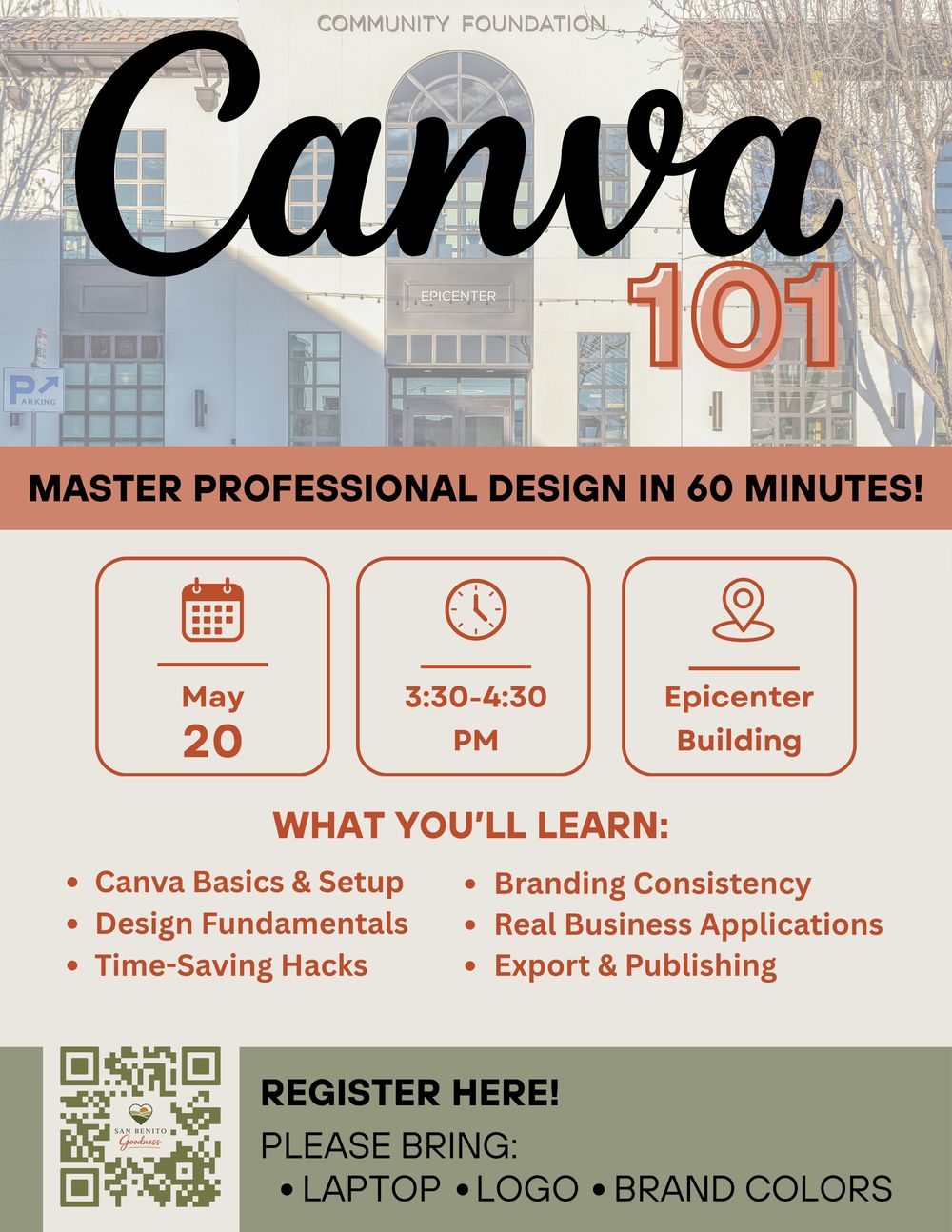
Canva 101 Workshop
Master Professional Design, And Unlock Stunning Visuals For Your Business.
Join us for Canva 101, a hands-on workshop designed specifically for San Benito County business owners, entrepreneurs, and marketers who want to create scroll-stopping graphics, social media posts, flyers, menus, ads, and more—without hiring a designer or spending hours learning complicated software.
- Canva Basics & Setup – Navigate the interface like a pro and set up your brand kit (colors, fonts, logo) in minutes.
- Design Fundamentals – Composition, color theory, typography, and what actually looks good (no design degree needed)
- High-Impact Templates – Create social media posts, stories, reels covers, Facebook ads, email headers, and print materials
- Time-Saving Hacks – Magic Studio AI tools, bulk creation, resizing, and automation tricks
- Branding Consistency – Build a professional look that matches your business identity across every platform
- Real Business Applications – Menus, event flyers, reels thumbnails, promotional banners, and more
- Export & Publishing – Best practices for Instagram, Facebook, email, print, and your website
Why Canva 101?
In today’s digital world, great design = more customers.
But most small businesses struggle with visuals that look amateur or take forever to create.
Canva 101 changes that.
In just one powerful hour, you’ll go from overwhelmed to confident, walking away with ready-to-use assets for your business.
Why Canva 101?
In today’s digital world,
great design = more customers.
But most small businesses struggle with visuals that look amateur or take forever to create.
Canva 101 changes that.
In just one powerful hour, you’ll go from overwhelmed to confident, walking away with ready-to-use assets for your business.
Perfect for business owners, marketers, and entrepreneurs who want to create better content without needing a big budget or fancy equipment.
Event Details:
Date:
May 20, 2026
3:30 PM To 4:30 PM
Location:
The Epicenter
440 San Benito St, Hollister, CA 95023
Spots are limited — Secure yours today!
Enter Your Details Below.
Full Name
Phone Number
Event Details:
Date:
May 20, 2026
3:30 PM To 4:30 PM
Location:
The Epicenter
440 San Benito St, Hollister, CA 95023
Spots are limited...
Secure yours today!
Enter Your Details Below.
Full Name
Phone Number
Spots are limited — this will be an interactive, small-group experience so everyone gets personal attention.
Bring your laptop, and walk away confident and ready to create impactful visuals.

San Benito Goodness - 2026 | Hollister, CA.
Privacy Policy | Terms & Conditions